
Signup Instructions for Swims and Jobs at Meets
Completing a Team Registration form is required to create a team website account, unless you have been instructed otherwise by a team administrator.
Login Activation and Password Reset
Logging in to your team website account allows you to view account and swimmer time data, pre-fill registration forms (returning families), and sign up for meet volunteer jobs and swimmer events.
The email you enter during registration becomes your website account login. After you complete team registration, you should have received an account activation email, which contains a link to choose a new password to activate your team website account.
To begin, you will need your email address and the password you created to login to your team's website.
Team Website Login
Click the Login link at the top right of your team's home page to access your personal team website account.

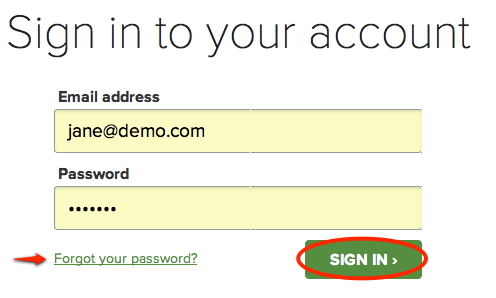
On the sign-in page, enter your login email and team website password (NOT your email account password) and click the Sign In > button.
How to Register for Jobs and Swims at a Meet:
Log in to the website. Login is found in the upper right hand corner of the screen.
If you can’t remember your password, click "Forgot your password" to reset your password.
Under the Meets & Events tab, select "Signup Calendar" to sign up for a swim meet.
Job Signup
- Click the green JOB SIGNUP tab and sign up for volunteer shifts (note one parent may sign up both parents for jobs -- scroll down and you’ll see the other parent listed). If you know you and your spouse will not be at this meet, skip to Swimmer Signup.
- Click Save Assignments.
- Click Back to Signup Calendar.
Swimmer Meet Declaration
We require your athletes to declare attendance for All meets so coaches can create the meet entry files in a timely manner. If you miss the deadline for declaration (usually 1 week before the actual meet) we will assume your swimmer/s are not available and will not enter them into the meet.
Coaches advice, right after registration and volunteer signups, go into each meet and declare your swimmers availability for all of the meets if you know your schedule
- Click the green MEET ENTRY tab, and then click the green Edit tab under your athletes' names.
- For each of your athletes, select an option from the drop down list next to their names.
- (undeclared)
- Attending
- Not Attending
- Click Save to record your choices.
This content can be easily deleted as you create your own content: go to Manage Site > Edit Page Content and click on the pencil icon in the upper right corner of each snippet. You may rename, move, or delete this page by going to Manage Site > Edit Navigation; for more information, see our Help Center article here.

